Semi-transparency
Well guys I did some research about the problem called gif semi-transparency.
Let I assure you that there is no such thing as semi-transparency. Not for GIF files. At least not for those with multiple colors.
For a single color you can do it by following the "SEMI TRANSPARENT GIFS" description I just found yesterday.
If anybody manage to create some semi-transparent GIF with the help of the above description, please let me know.
Step 1: Discovering the semi-transparency.
I started this research because of transparent effect I saw in BlackMac skin created by mojave. As you can see on the images below:
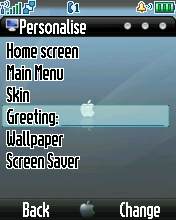
This is the original skin with the default wallpaper. As you can see the 75.gif (highlighted item in list view window) is pretty semi-transparent.
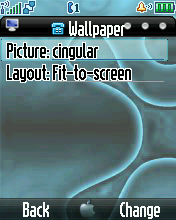
I just changed the wallpaper to see if it is some trick with the images based on optical illusion, but as you can see it isn't, it just works like a charm.
Step 2: Altering the BlackMac
I just changed the 75.gif in BlackMac.
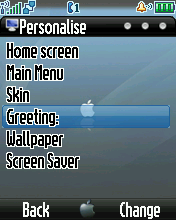
So I just changed the 75.gif.
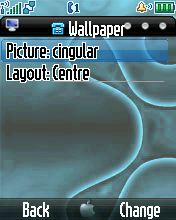
Yepp and it just works on other wallpapers too.
Conclusion 1.: The original 75.gif in BlackMac is just a standard gif file. And like all the other gif files it doesn't support semi-transparency (it isn't transparent at all).
Conclusion 2.: It must be an option for transparency just like for colors, although I couldn't find it for now at least.
Here are more examples:
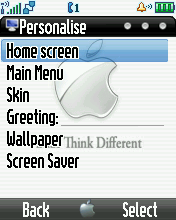
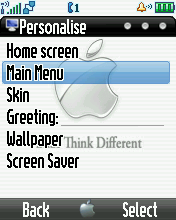
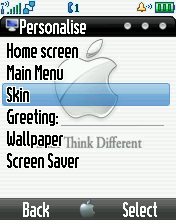
The bottom menu line is also semi-transparent
In the meantime I just realised that the bottom menu line is also semi-transparent. I didn't changed the image, it's the original one, but I'm pretty sure it is the same method as above.
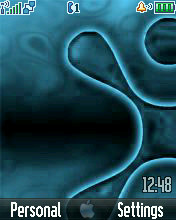
So I just changed the 75.gif.
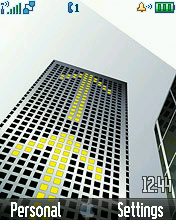
So I just changed the 75.gif.
Wrote a mail to mojave yesterday (2007.04.08.) asking him to explain how he managed to do all this. I'm still waitin' for the answer.
In the meantime if anybody figures out how to achieve semi-transparency, please let me know.
Update 1.: It looks like we can do it
We made some more research with sysmaster (thx man), and things started to works for us. Here are some screenshoots:
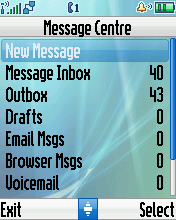

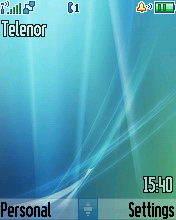
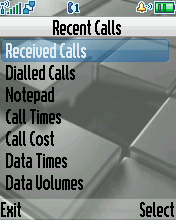
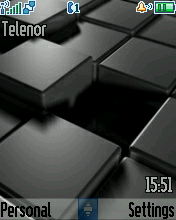 And some explanation for each:
- The ID 66 controlls the opacity of 5.gif and 75.gif
- Didn't found the ID which controls the opacity of 38.gif sysmaster is workin' on it
- The following ID-s controll the soft button transparency (all the 10 of them):
- 650
- 653
- 657
- 662
- 665
- 669
- 672
- 677
- 679
- 680
- Just another sample
- Just another sample
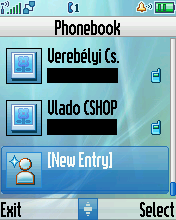
Update: The transparency of the 38.gif is controlled by ID 19. I used value 250 to achieve the what you see on the image.
The softbutton ID-s also have the value 250 on this pic.
List of known bugs
Here are some bugs that just come out from nowhere when we set some transparency settings:

Bug #1: The image itself has fully transparent corner, but when you set transparency for ID 66 comes out a strange 1-pixel bug. You can see it in all four corners of the image.

Bug #2: Well another transparency bug. There is a strange non-transparent line above the bottom border of the 38.gif.
It comes out with Orange Lovers (sysmaster's) and iLike (modded by me) skins also.
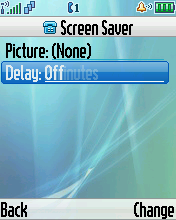
Bug #3: When using the left & right arrows to change the value of some settings, the previous value of that setting leaves trace. Not for every setting, but only for some of them. Try that one on the picture to see if it behaves the same way for you too.
So these bugs just happen to be skin independent. Any suggestions?